显示标签为“XTOOL X100 PAD2 Pro”的博文。显示所有博文

2021-07-05

Xtool X100 PAD2 Pro VAG 4th 5th immo key programming

 XTOOL KC100 Auto Key Programmer Adapter Work with XTOOL X100 PAD2 PAD 2 for 4th / 5th VW IMMO Key in Code Readers& Scan Tools.
Today,we used Xtool X100 Pad2 Pro with KC100 key programmer to program a new key for Audi Q5 via OBD, only need 3 min with main 4 steps.
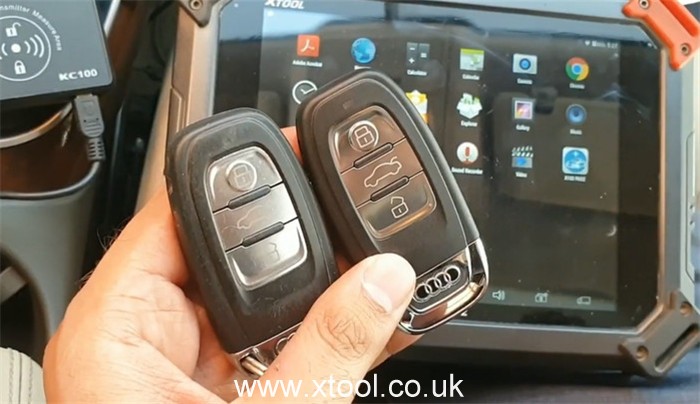
xtool-x100-pad2-pro-4th-5th-immo-key-progamming-01
Main steps:

  • Step 1: Read immokey data
  • Step 2: Show immokey data
  • Step 3: Make dealer key
  • Step 4: Match the key


The procedure:
Use the main cable and OBDII connector to connect between X100 PAD 2 and the car’s OBD port
Enter X100 PAD2 main menu
Select immobilization>> VW>> agree with the disclaimer>> 4th/ 5th Immobilizer system
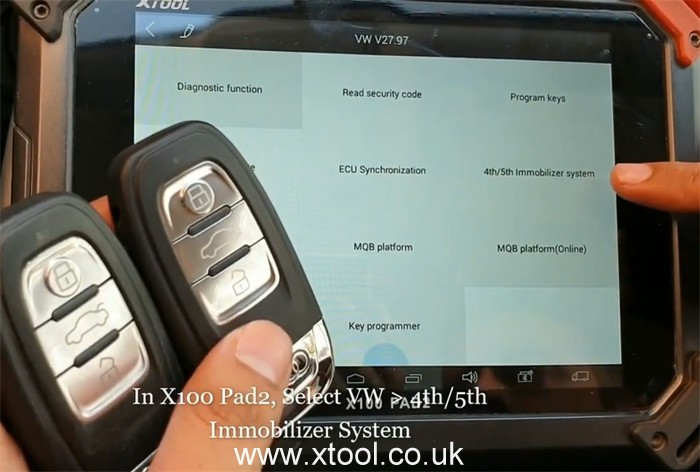
xtool-x100-pad2-pro-4th-5th-immo-key-progamming-002
Turn on the ignition switch with one working key
Select 5th Immobilizer system>> Match the key
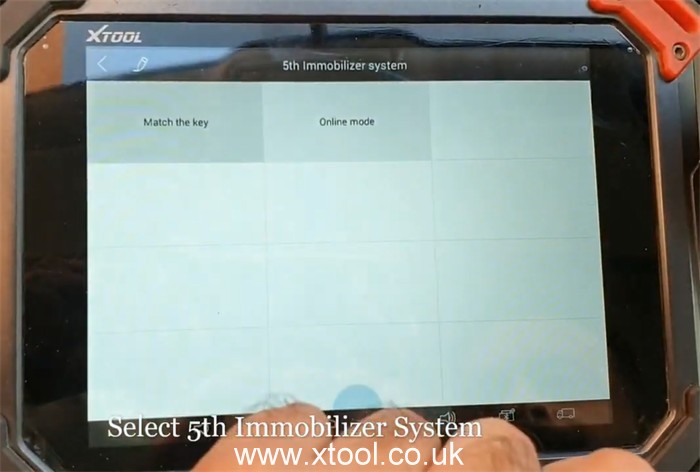
xtool-x100-pad2-pro-4th-5th-immo-key-progamming-03
Then go to perform the 4 main functions
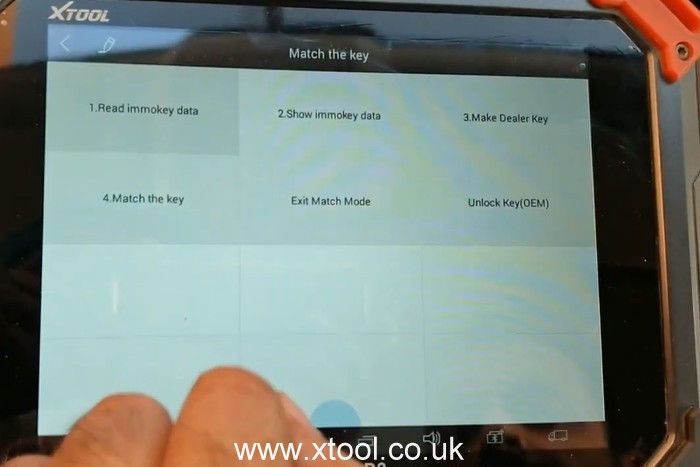
xtool-x100-pad2-pro-4th-5th-immo-key-progamming-004
Step 1: Read immokey data
Enter a filename to save the original immo key data has been read out
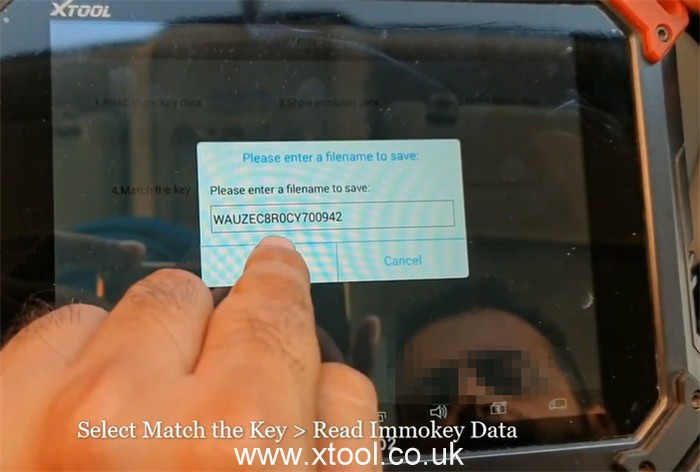
xtool-x100-pad2-pro-4th-5th-immo-key-progamming-05
Turn the ignition on, the condition of the missing keys all, open the headlights, and the brakes and then confirm
Wait for data to be read…
Read immokey process is completed

Step 2: Show immokey data
The security data info incl. VIN, keys number and so on.
The current key number is 1.
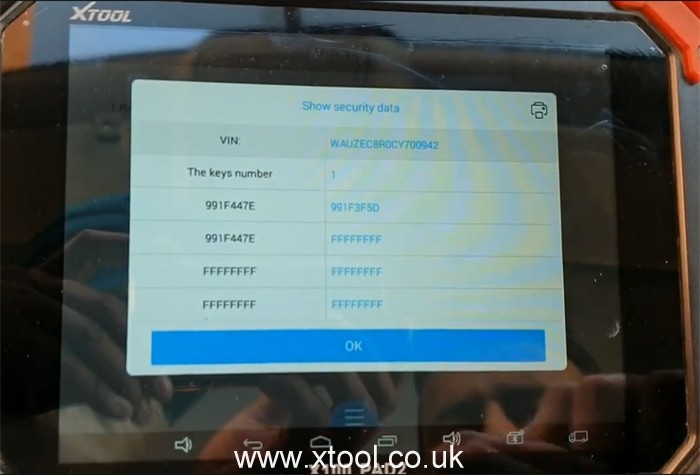
xtool-x100-pad2-pro-4th-5th-immo-key-progamming-06
Step 3: Make dealer key
Use the TYPE-C to mini USB cable to connect between Xtool PAD 2 and KC100
Put the key into the coil of Xtool KC100 key programmer
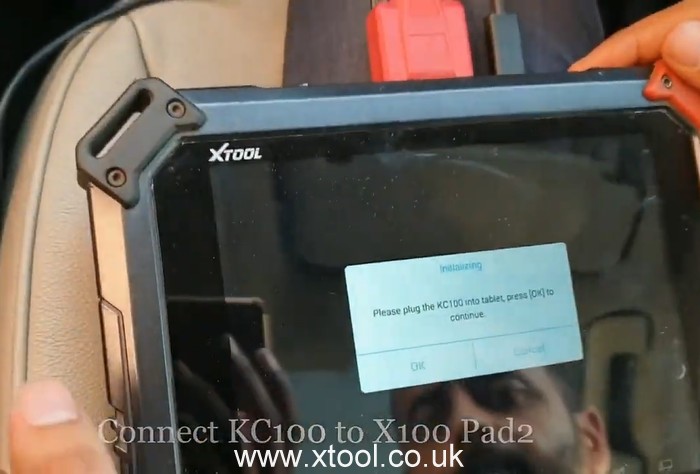
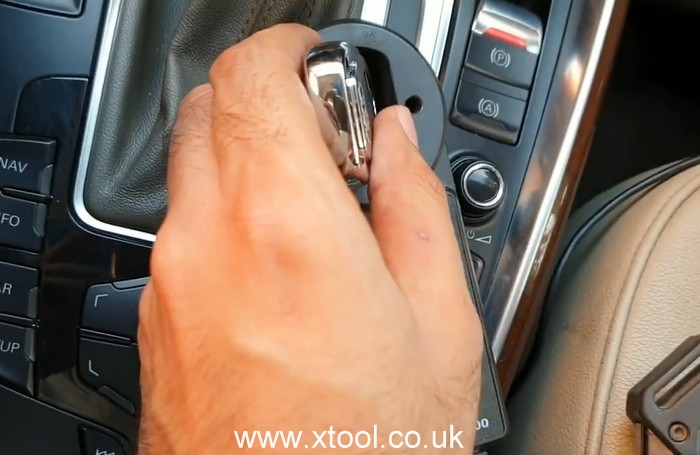
xtool-x100-pad2-pro-4th-5th-immo-key-progamming-07
xtool-x100-pad2-pro-4th-5th-immo-key-progamming-08
Select Create A4/A5/Q5 key
Confirm the key is ready to add to the coil
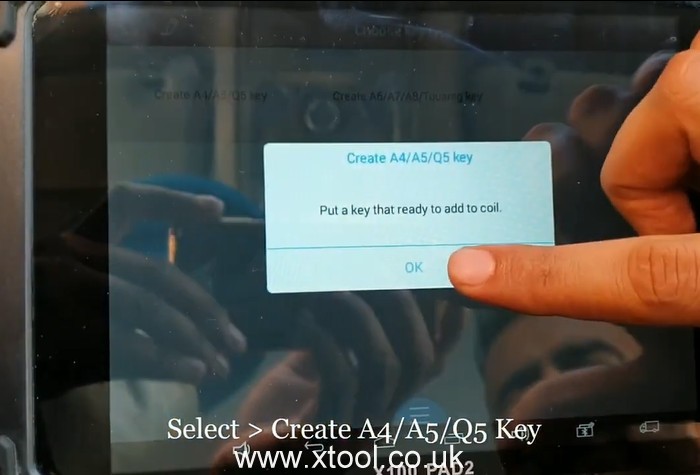
xtool-x100-pad2-pro-4th-5th-immo-key-progamming-09
Make dealer key successfully

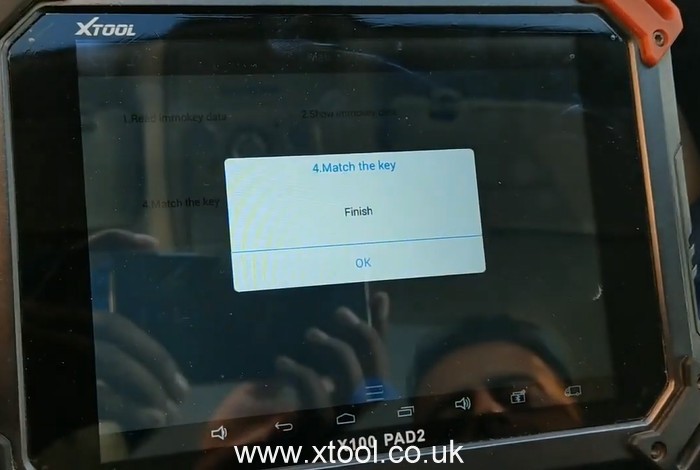
Step 4: Match the key
Take out the key from Xtool KC100 adapter
Then input the number of keys to match
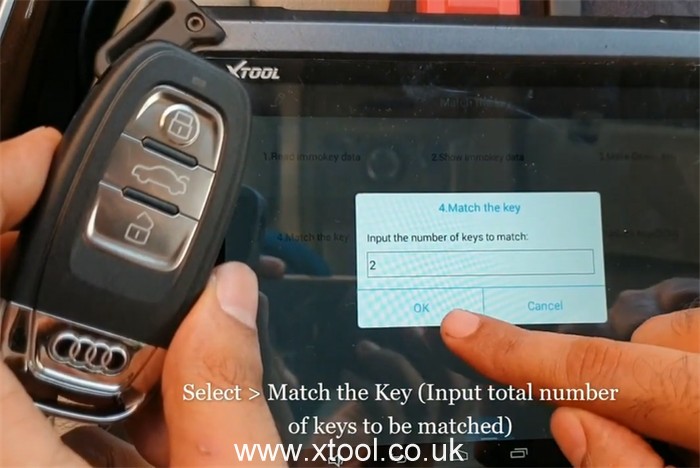
xtool-x100-pad2-pro-4th-5th-immo-key-progamming-10
Turn on the ignition switch
Note: If all keys lost, insert one dealer key into the ignition switch or make it close to the induction coil.
The meaning of the key number on the dashboard:
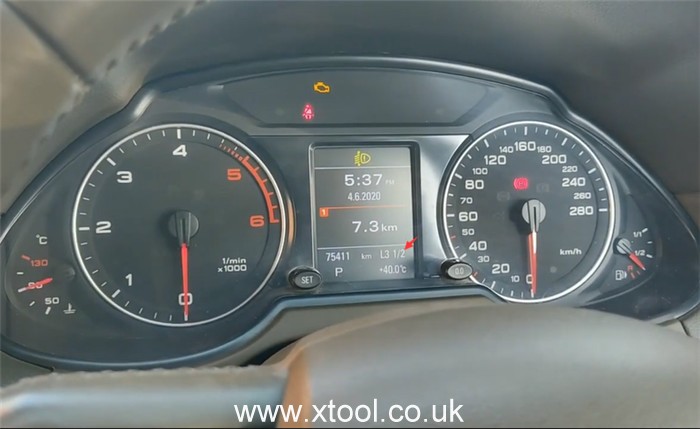
1/2= 1st key added & waiting for 2nd key
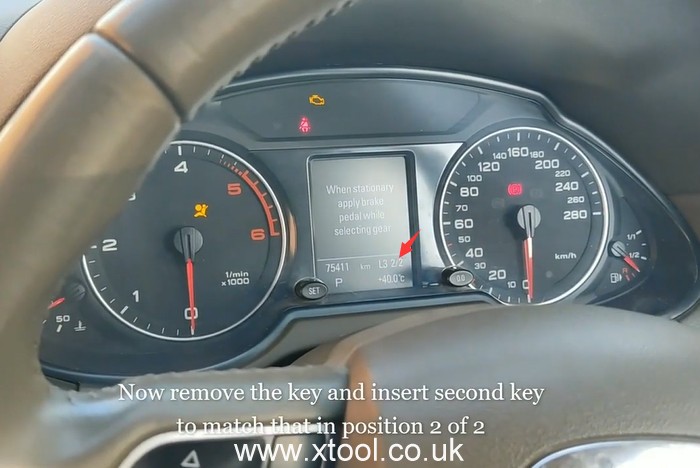
2/2= 2nd key added
The dashboard shows 1/2, so go to remove the original key, and insert the second key to match
xtool-x100-pad2-pro-4th-5th-immo-key-progamming-11
The key is matched successfully, and the number turns to 2 now.
xtool-x100-pad2-pro-4th-5th-immo-key-progamming-12
The key is matched successfully!
xtool-x100-pad2-pro-4th-5th-immo-key-progamming-13
Finally, check the new key, works fine!

Done! That’s the whole process to do new key programming for Audi Q5 by using XTOOL X100 PAD 2 with KC100.


http://xtoolsupport.com/

2021-06-14

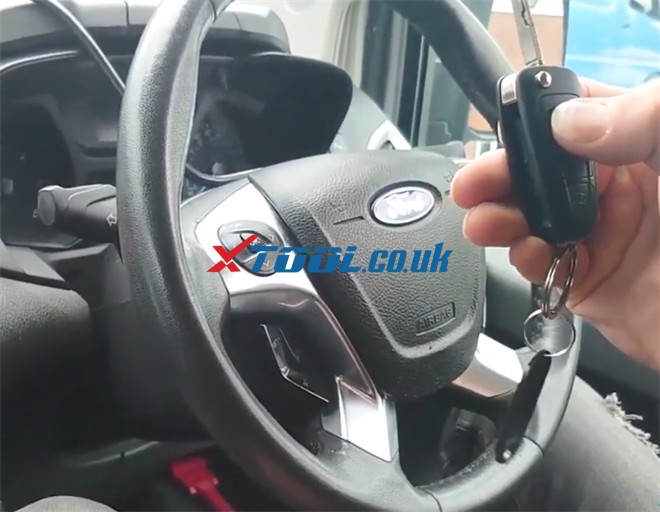
How to use Xtool x100 pad2 add key for 2014 Ford Transit


A customer lost one of his keys, and he wants to add a spare key with a usual key. The job is done by XTOOL X100 PAD2 key programmer.
how-to-use-xtool-x100-pad2-add-key-for-ford-transit-01

Now let’s start the procedure.
First, connect x100 pad2 key programmer with the car properly
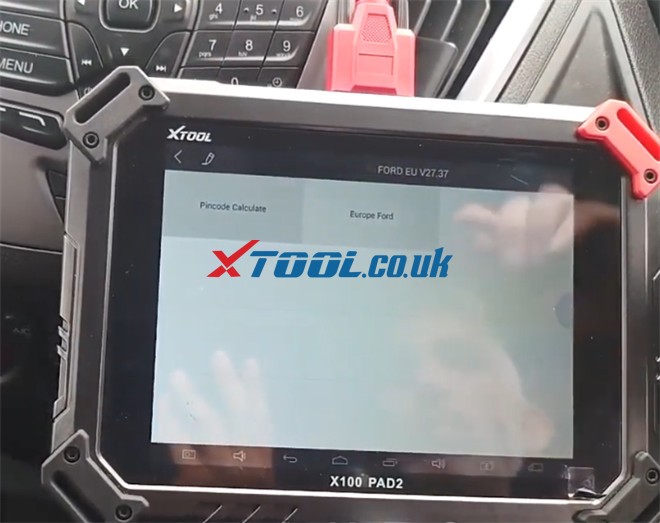
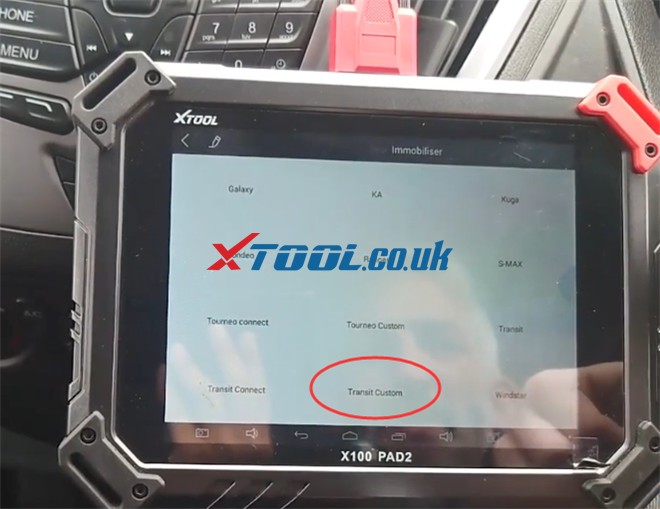
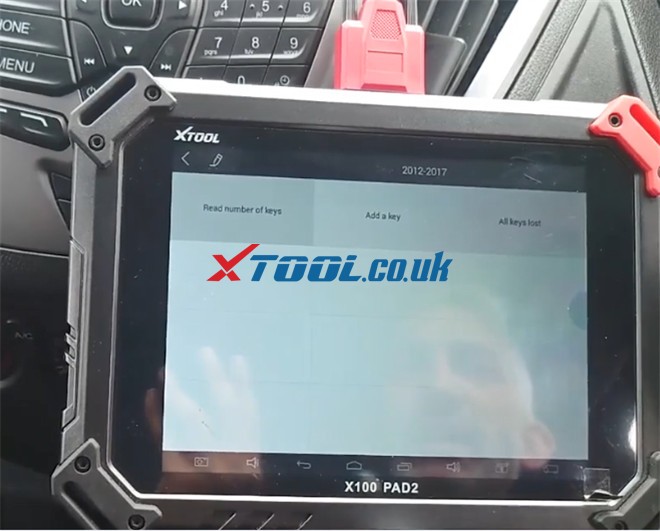
Then go to Immobilization-> FORD EU-> agree with the disclaimer-> Europe Ford-> Select by vehicle-> Immobiliser-> Transit Custom-> 2012-2017
how-to-use-xtool-x100-pad2-add-key-for-ford-transit-02
how-to-use-xtool-x100-pad2-add-key-for-ford-transit-03
how-to-use-xtool-x100-pad2-add-key-for-ford-transit-04
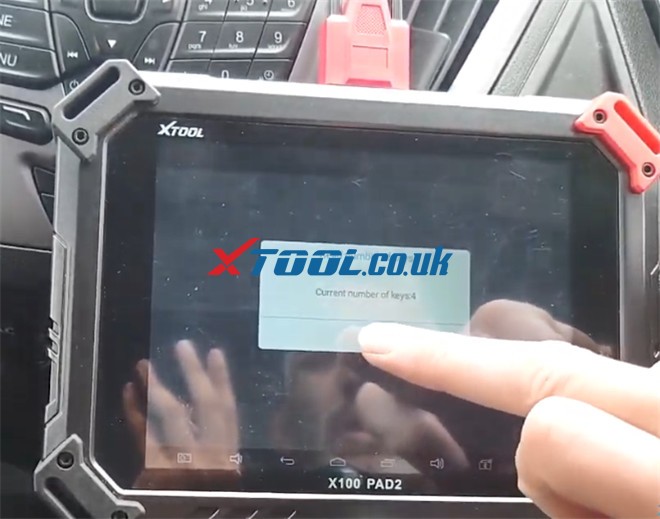
Next, select “Read number of keys”
It read out the current number of keys is 4.
how-to-use-xtool-x100-pad2-add-key-for-ford-transit-05
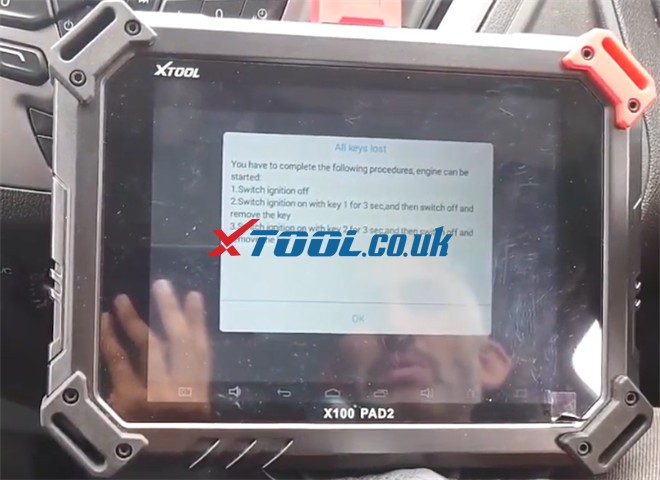
After that, select “All keys lost” to erase the keys and add a spare key.
Note: We could do add a key if we’re just adding a spare key, but as we want to erase the keys out of the system in case someone finds the key that he lost, we need to do all keys lost.
It prompts that all keys will be erased, and you must program at least two keys to start the engine. Just press “Yes” to continue.
Insert the customer’s original key and turn the ignition on
Then complete the following procedures so that the engine can be started.
  • Switch ignition off
  • Switch ignition on with key 1 for 3 sec, and then switch off and remove the key
  • Switch ignition on with key 2 for 3 sec, and then switch off and remove the key
how-to-use-xtool-x100-pad2-add-key-for-ford-transit-06
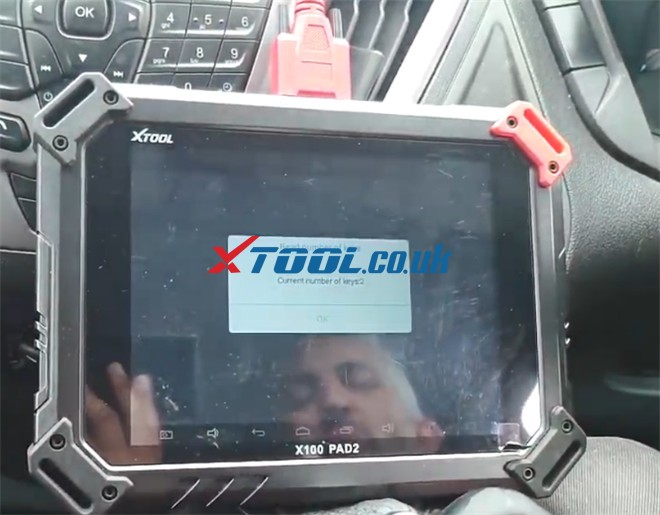
Finally, read the number of keys again, now the current number of keys is 2.
how-to-use-xtool-x100-pad2-add-key-for-ford-transit-07
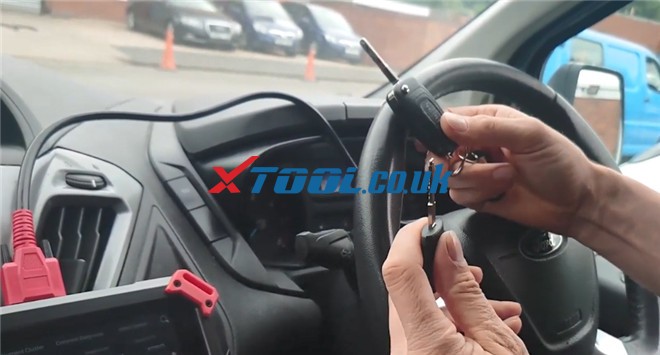
So just press Lock and Unlock button, and the remote works, insert the key into the vehicle, the car also starts.
how-to-use-xtool-x100-pad2-add-key-for-ford-transit-08
It wouldn’t matter if this was a remote key or a manual key, it’d be exactly the same and the remote will be programmed in at the same time. It’s the same procedure.

Awesome! The Ford Transit Custom 2014 spare key is added by X100 PAD2 successfully.

FYI…
Xtool X100 PAD2/X100 PAD2 Pro also perfectly programs key to other Ford car models. 

2016 Ford Focus Key Programming Done by XTOOL X100 PAD2 Pro?


Ford C-max 2011 add key ok
Ford EcoSport 2015 non bladed key programmed transponder and remote OK. All keys lost
Ford fiesta 2004, read number of key OK
Ford Fiesta 2010 AKL – Done the job for 20 seconds
Fiesta 2011 add key okay
Focus 2012 add key okay
2009 Ford Focus AKL Done 2 minutes but under Ford China in menu
Ford F150 2008 USA, AKL ok, add 2x 4D63
Ford mondeo 2002 tibbe key add 1 key ok no need to wait 10 mins.
Ford Mustang 2013 add key ok!
Focus titanium2014 add key okay
Ford ranger transponder 80 bits ok
Ford transit 2011 europe add blue key ok
Ford transit connect 2006 akl -added 1 key
Ford transit blue remote key used Australia Ford add key ok tried all key lost didn’t work eu cars

2021-06-09

XTOOL X100 PAD2 (Pro) Program 2013 Dodge Grand Caravan Key Fob

Used XTOOL X100 PAD2 to program new key on a 2013 Dodge Grand Caravan, it worked fine! Only need 2 mins!

xtool-x100-pad2-pro-program-dodge-caravan-key-fob-01

Main steps:

Step 1: Read security code

Step 2: Program new key


The procedure:

Connect X100 PAD2 to the vehicle via main cable

Go to immobilization-> CHRYSLER

Agree with the disclaimer

Select Immobiliser/Fobik (WCM)-> Auto 

xtool-x100-pad2-pro-program-dodge-caravan-key-fob-02

xtool-x100-pad2-pro-program-dodge-caravan-key-fob-03

Turn off the ignition switch and then turn on

It’s type 4.

xtool-x100-pad2-pro-program-dodge-caravan-key-fob-04

Then go to read security code and then program new key.

xtool-x100-pad2-pro-program-dodge-caravan-key-fob-05

Step 1: Read security code

Select “Read security code”

When the security code is read out successfully, keep it in mind, because the code for each car model is different.

xtool-x100-pad2-pro-program-dodge-caravan-key-fob-06

Step 2: Program new key

Select “Program new key”

Then switch ignition off, insert the new key and switch ignition on

Input the security code just read out in step 1

xtool-x100-pad2-pro-program-dodge-caravan-key-fob-07

The new key is programmed successfully.

xtool-x100-pad2-pro-program-dodge-caravan-key-fob-08

Finally, check if the new key can work or not.

OK, it starts the car normally.


All right! That’s the whole process that I use x100 pad2 to program new key to my 2013 Dodge Grand Caravan. It works like a charm!

The key also can be done by XTOOL X100 PAD2 Pro. Because they support the same function, and the main difference is X100 Pad2 Pro adds VW 4th and 5th IMMO than X100 pad2 key programmer.


Have fun!


www.xtool.co.uk

2021-04-29

How to Change Xtool X100 PAD2/PAD2 PRO Langauge


Some customers want to know how to change the language on XTOOL X100 PAD2/X100 PAD2 Pro key programmer. Here will share the related guide for reference.

@Vladimir Jovanovic asked in FACEBOOK:

Hi i need someone to add one more language on my xtool x100 pad 2. Thank you


Xtool.co.uk engineer replied:

There are 12 kinds of languages are supported by X100 PAD2 (Pro) as below so far.

  • English, German, French, Spanish, Italian, Japanese, Portuguese, Russian, Korean, Finnish, Arabic and Polish

The default language is English. If you want to add more languages, please follow the steps as below to do.

Step 1: Offer the serial number of your XTOOL tablet and language you desire to our customer service

Step 2: Once the language has been changed, you can switch the language to you need

  • Open “X100 PAD2” APP-> enter “Settings” function-> select “Language”-> tick the required option from the multi-language options on the right

Xtool X100 Pad2 Pro Change Language

Step 3: Enter “Update” function to download all software you need


Hope it helps!

If you have any problem about XTOOL key programmer or others, please feel free to contact us!

Contact info:

Email: Sales@XTOOL.co.uk
whatsapp: +86 18223445829

Source:http://xtoolsupport.com/how-to-change-language-on-xtool-x100-pad2-pro/


XTOOL X100 PAD2 (Pro) IMMO/ Odometer success list

 More and more customers choose XTOOL X100 PAD2/X100 PAD2 Pro to add new key, do all keys lost or adjust odometer on their cars. Let’s see which car models they have tested and what the results are.


Citroen:

Citroen C4 Read pin, add key x100 pad 2, 10 min.

Xtool X100 Pad2 Pro Feedback 1 Xtool X100 Pad2 Pro Feedback 2 Xtool X100 Pad2 Pro Feedback 3

Citroen C4 cactus 2015y read pin code, add new key with blade key, xtool pad2 pro

Citroen Berlingo 2019 UK SUCCESS by x100 pad2 global version

Pulled pin with working key Type 1

Programmed OEM remote) key,

Would not communicate under Vehicle selection,

Programmed under system Type 4


Fiat:

Fiat 500 Year 2009, done in 2 minutes, Bravo xtool x 100 pad2 Pro (EU version)


Ford:

2014 Ford Transit Custom EU5 spare remote key inside 20 seconds....

Xtool X100 Pad2 Pro Feedback 4


Hyundai:

Add new Smart key Hyundai ix 35 (2011)

x100pad2. Read pin code, add key. 5 min...

Xtool X100 Pad2 Pro Feedback 5

Hyundai i20 2015 Spare keys added, very quickly!


Jeep:

Jeep grand cherokee 2007y simply add new key, pin not required


Opel:

Astra J. 2015 EU

Turn ignition on without making key

To read pin code- success

And reads correct pin code - success

Xtool X100 Pad2 Pro Feedback 6

Opel corsa C 2006 plate- read pin and program key


Peugeot:

Peugeot 308, add new key with VVDI wireless remote, no problem.

Xtool X100 Pad2 Pro Feedback 7


Renault:

-New card key Renault Laguna

-Immo- OK

-Remote OK

- 5min. (the real working time was a minute.)

With x100pad 2 pro

Xtool X100 Pad2 Pro Feedback 8

Clio 4 (2013) e megane 3, 100%

Xtool X100 Pad2 Pro Feedback 9


Skoda:

Skoda Citigo 2013 read pin code success

Xtool X100 Pad2 Pro Feedback 10 Xtool X100 Pad2 Pro Feedback 11

Skoda Octavia 2002, Read pin, add key (pad 2)

Xtool X100 Pad2 Pro Feedback 12


VW:

Do all keys lost for vw bora 2005- yes


More X100 PAD2/X100 PAD2 Pro IMMO/Odometer test reports:

1.Add new key/all keys lost:

Audi:

Xtool X100 Pad2 Pro Add New Key to Audi A6 ID8E in 3 Steps


Chevrolet:

XTOOL X100 PAD2 Programs Chevrolet Cruze 2014 All Keys Lost


Ford:

2016 Ford Focus Key Programming Done by XTOOL X100 PAD2 Pro?


Honda:

2020 Honda Brio Program Smart Key by Xtool X100 Pad2(Pro)


Land Rover:

2004 Land Rover Discovery 3 Program a Spare Key by XTOOL X100 Pad2


Renault:

Renault megane 2006: XTOOL X100 PAD 2 Renault Key Programming Feedback+ Car List


VW:

XTOOL X100 PAD2 (Pro) Add Keys to VW IMMO 3 All Keys Lost


2014 VW CC:

XTOOL X100 PAD2 Pro VW IMMOBILISER Car List+ Add New Key in 4 Steps


2.Odometer adjustment:

Audi:

Xtool PAD2 2004 Audi A4 Mileage in cluster change via OBD all good


Chevrolet:

2016 Chevrolet Malibu Mileage Correction by XTOOL X100 PAD2


Ford:

Change Mileage for Ford EDGE 2013 by XTOOL PAD 2 via OBD2


More info:

XTOOL X100 PAD2 Pro Have Success in Add Key + Change Mileage for Different Cars


How to program a Toyota G Chip Key using xtool D8

  Purpose:   program a G chip key for a Toyota Model:   Toyota Tacoma 2011 Tool option:   Xtool D8 Bi-Directional OBD2 Diagnostic Scanner He...