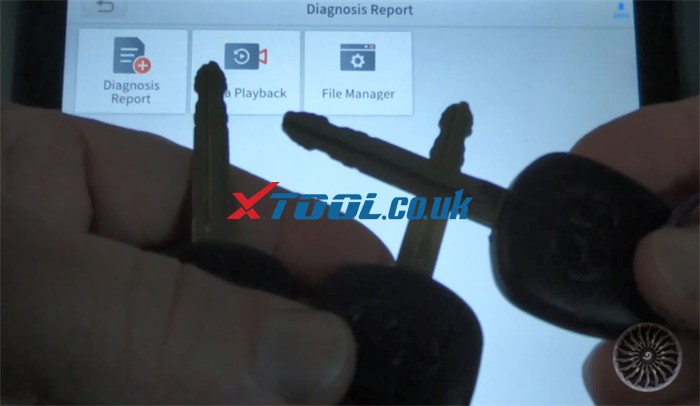
It is a Mazda car (type5). The customer lost all keys. The new keys programming were completed by Xtool X100 PAD3 key programmer.
Note:
1.This tutorial applies to xtool tablet incl. Xtool Xpad elite, X100 pad 2 and X100 PAD
2.In Immobiliser function, you can use two ways to select your vehicle: by type and by vehicle are both OK
3.This operation must be connected to the network
4.In all keys lost function, the all keys will be erased
Main operation guide:
In general, directly connect X100 PAD 3 to the vehicle via main diagnostic cable is ok.
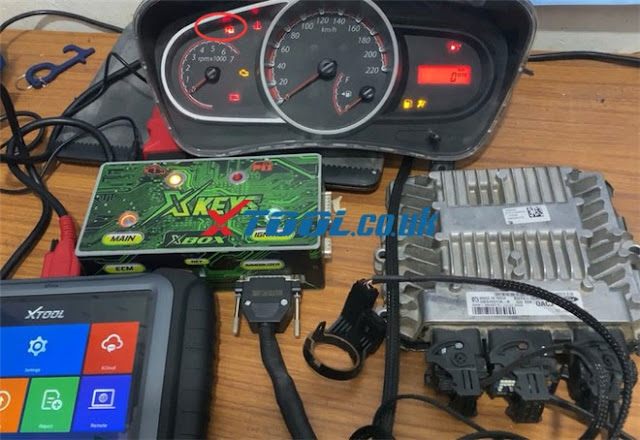
For the convenience of viewing the test, connect x100 pad3, dashboard, Mazda ECU and the ignition test platform as follows
When turn the ignition on, the engine IMMO warning light appears on the dashboard.
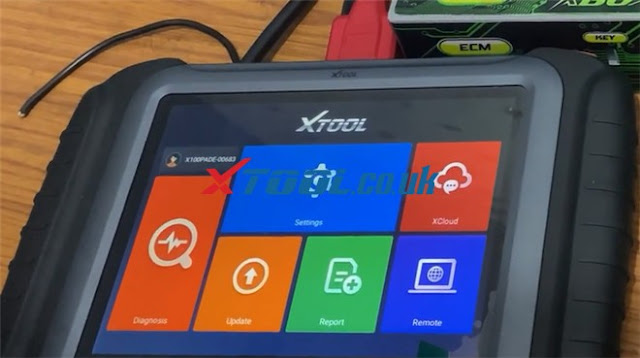
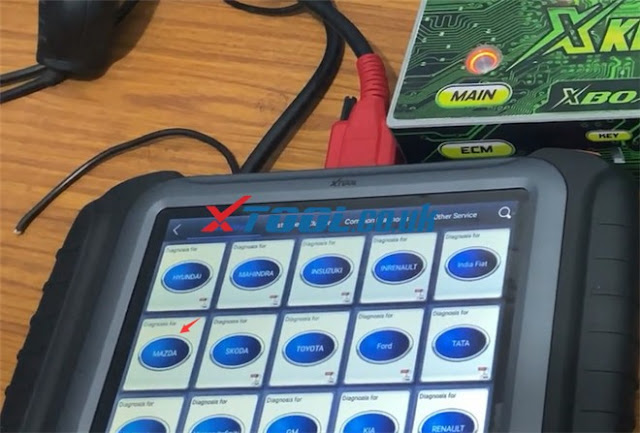
Select Diagnosis->Immobilizer-> MAZDA-> agree with the disclaimer-> Select by type-> Type 5-> All keys lost
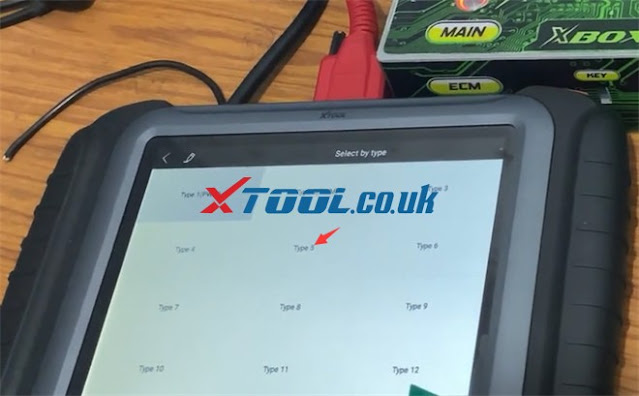
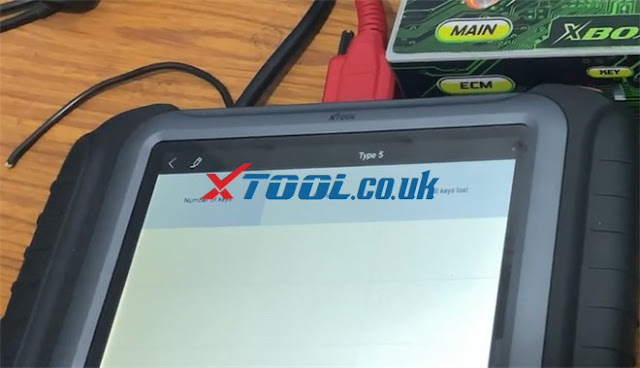
Read all keys lost instruction and press “YES” to continue
l All key will be erased and the min keys are required is 2.
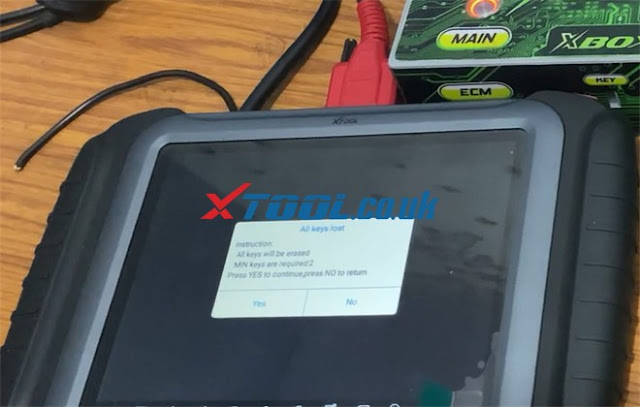
Then complete the following procedures, engine can be started:
1.Switch ignition off
2.Switch ignition on with key 1 for 3 sec and then switch off and remove the key

3.Switch ignition on with key 2 for 3 sec and then switch off and remove the key

4.If you want to add more keys, please repeat procedure 3
When the procedure is complete, use the two keys to turn on the ignition switch separately, the engine IMMO warning light disappears.


Read the number of keys is 2 now.
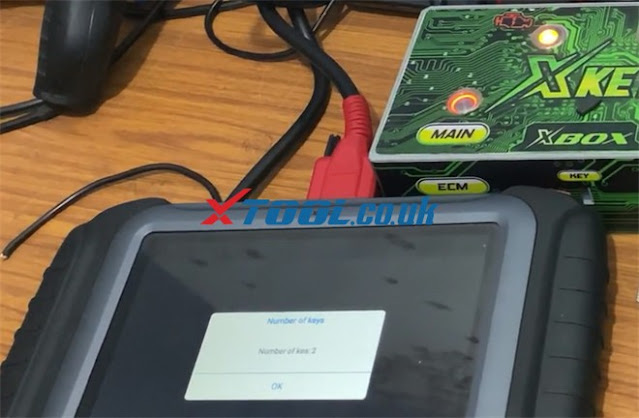
Xtool x100 pad 3 program keys to Mazda type 5 successfully.
FYI…
|
Automaker
|
Area
|
Model
|
System
|
Function
|
|
MAZDA
|
Europe
|
BT-50 (2011-)
|
Non smart key
|
1.Add key
2.Erase keys 3.All lost
4.Number of key
|
|
MAZDA
|
Europe
|
Mazda 121
|
Non smart key
|
1.Current
number of keys 2.All Keys Lost
3.Add Key
|
|
MAZDA
|
Europe
|
Mazda 2 (2002-2008)
|
Non smart key
|
1.Number of
keys
2.Add a key
3.All keys lost
|
|
MAZDA
|
Europe
|
Mazda 2 (2008-2014)
|
Smart key
system
|
1.All keys lost
2.Add keys
3.All smart keys lost
4.Add smart
keys
5.Live
data
6.Switch
ignition on
7.Erase DTC
|
|
MAZDA
|
Europe
|
Mazda 2 (2008-2014)
|
Non smart key
|
1.Number of
keys
2.Add a key
3.All Keys lost
|
|
MAZDA
|
Europe
|
Mazda 2 (2014-)
|
Smart key
system
|
1.All smart
keys lost
2.Add a smart
key
3.Switch ignition on
|
|
MAZDA
|
Europe
|
Mazda 3 (2004-2008)
|
Smart key
system
|
1.Number of
keys
2.Add a key
3.All keys lost
4.Number of
smart keys 5.Add a smart key
6.Erase smart keys
|
|
MAZDA
|
Europe
|
Mazda 3 (2004-2008)
|
Non smart key
|
1.Number of
keys
2.Add a key
3.All Keys lost
|
|
MAZDA
|
Europe
|
Mazda 3 (2009-2013)
|
Smart key
system
|
1.All keys lost
2.Add keys
3.All smart keys lost
4.Add smart
keys
5.Live
data
6.Switch
ignition on
7.Erase DTC
|
|
MAZDA
|
Europe
|
Mazda 3 (2009-2013)
|
Non smart key
|
1.Number of
keys
2.Add a key
3.All Keys lost
|
|
MAZDA
|
Europe
|
Mazda 3 (2014-)
|
Smart key
system
|
1.All smart
keys lost
2.Add a smart
key
3.Switch ignition on
|
|
MAZDA
|
Europe
|
Mazda 5 (-2011)
|
Non smart key
|
1.Number of
keys
2.Add a key
3.All Keys lost
|
|
MAZDA
|
Europe
|
Mazda 5 (2012-)
|
Non smart key
|
1.Number of
keys
2.Add a key
3.All Keys lost
|
|
MAZDA
|
Europe
|
Mazda 6 (2002-2008)
|
Non smart key
|
1.Number of
keys
2.Add a key
3.All keys lost
|
|
MAZDA
|
Europe
|
Mazda 6 (2008-2012)
|
Smart key
system
|
1.All keys lost
2.Add keys
3.All smart keys lost
4.Add smart
keys
5.Live
data
6.Switch
ignition on
7.Erase DTC
|
|
MAZDA
|
Europe
|
Mazda 6 (2012-)
|
Smart key
system
|
1.All smart
keys lost
2.Add a smart
key
3.Switch ignition on
|
|
MAZDA
|
Europe
|
Mazda CX-3 (2016-)
|
Smart key
system
|
1.All smart
keys lost
2.Add a smart
key
3.Switch ignition on
|
|
MAZDA
|
Europe
|
Mazda CX-5 (2013-)
|
Smart key
system
|
1.All smart
keys lost
2.Add a smart
key
3.Switch ignition on
|
|
MAZDA
|
Europe
|
Mazda CX-7 (-2016)
|
Smart key
system
|
1.Add key
2.All keys lost
3.Add smart key
4.Erase smart
keys
5.Read number of keys
|
|
MAZDA
|
Europe
|
Mazda CX-7 (2004-2009)
|
Non smart key
|
1.Number of
keys
2.Add a key
3.All Keys lost
|
|
MAZDA
|
Europe
|
Mazda CX-7 (2009-)
|
Non smart key
|
1.Number of
keys
2.Add a key
3.All Keys lost
|
|
MAZDA
|
Europe
|
Mazda CX-9 (2004-2009)
|
Non smart key
|
1.Number of
keys
2.Add a key
3.All Keys lost
|
|
MAZDA
|
Europe
|
Mazda CX-9 (2009-)
|
Non smart key
|
1.Number of
keys
2.Add a key
3.All Keys lost
|
|
MAZDA
|
Europe
|
Mazda CX-9 (2009-)
|
Smart key
system
|
1.All smart
keys lost
2.Add a smart
key
3.Switch ignition on
|
|
MAZDA
|
Europe
|
Demio (-2001)
|
Non smart key
|
1.Current
number of keys 2.All Keys Lost
3.Add Key
|
|
MAZDA
|
Europe
|
Demio (2002-2007)
|
Non smart key
|
1.Number of
keys
2.Add a key
3.All Keys lost
|
|
MAZDA
|
Europe
|
Demio (2008-2013)
|
Smart key
system
|
1.All keys lost
2.Add keys
3.All smart keys lost
4.Add smart
keys
5.Live
data
6.Switch
ignition on
7.Erase DTC
|
|
MAZDA
|
Europe
|
Demio (2008-2013)
|
Non smart key
|
1.Number of
keys
2.Add a key
3.All Keys lost
|
|
MAZDA
|
Europe
|
Demio (2014-)
|
Smart key
system
|
1.All smart
keys lost
2.Add a smart key
3.Switch
ignition on
|
|
MAZDA
|
Europe
|
Mx5 (2005-2009)
|
Non smart key
|
1.Number of
keys
2.Add a key
3.All Keys lost
|
|
MAZDA
|
Europe
|
Mx5 (2009-2015)
|
Non smart key
|
1.Number of
keys
2.Add a key
3.All Keys lost
|
|
MAZDA
|
Europe
|
Mx5 (2016-)
|
Smart key
system
|
1.All smart
keys lost
2.Add a smart
key
3.Switch ignition on
|
|
MAZDA
|
Europe
|
Premacy (2005-)
|
Non smart key
|
1.Number of
keys
2.Add a key
3.All Keys lost
|
|
MAZDA
|
Europe
|
Premacy (2005-)
|
Smart key
system
|
1.All keys lost
2.Add keys
3.All smart keys lost
4.Add smart
keys
5.Live
data
6.Switch
ignition on
7.Erase DTC
|
|
MAZDA
|
Europe
|
RX-8 (2004-2009)
|
Non smart key
|
1.Number of
keys
2.Add a key
3.All keys lost
|
|
MAZDA
|
Europe
|
RX-8 (2009-)
|
Non smart key
|
1.Number of
keys
2.Add a key
3.All Keys lost
|
|
MAZDA
|
Europe
|
RX-8 (2009-)
|
Smart key
system
|
1.Number of
keys
2.Add a key
3.All keys lo
|
For other area Mazda car models, please visit
http://www.xtooltech.com/FUNC_DOC/PS_IKMAZDA_V26_62_EN.PDF If you are not sure the car model you own can be used with XTOOL X100 PAD3 Tablet Key Programmer or not, please feel free to contact our customer service.
Email: Sales@XTOOL.co.uk
Whatsapp: +86 18223445829
www.xtool.co.uk